Adjust native driver settings, shape curves and selective HSL, or import a LUT.

01 / THE FOUNDATIONS

Native
display controls.

Use native AMD offsets for quick desktop adjustments, or explore the full color processor in preview. The two routes keep their own controls and make their scope clear.

01

Brightness

Find the right amount of light.

02

Contrast

Bring the tonal separation closer.

03

Saturation

Keep color lively, or quiet it down.

04

Hue

Shift the overall color balance.

05

Temperature

Find a warmer or cooler feel.

Two ways to
apply color.

Native controls for speed.
Studio for the full color pipeline.

Native AMD

AMD driver Fast

Five native controls, applied directly through your installed AMD driver. Each monitor keeps its own starting point.

  • Brightness, contrast, saturation, hue, temperature
  • No desktop capture or full-screen output windows
  • Verified SDR displays, with per-control guards
Meet native color
Studio

Studio full color Free

Your curves, selective HSL and optional LUT, processed together for supported SDR desktop output.

  • The complete preview color pipeline
  • LUT strength, bypass and composed export
  • Explicit capture mode with extra CPU/GPU cost
Find the right mode
02 / CURVES & HSL

Curves
and HSL.

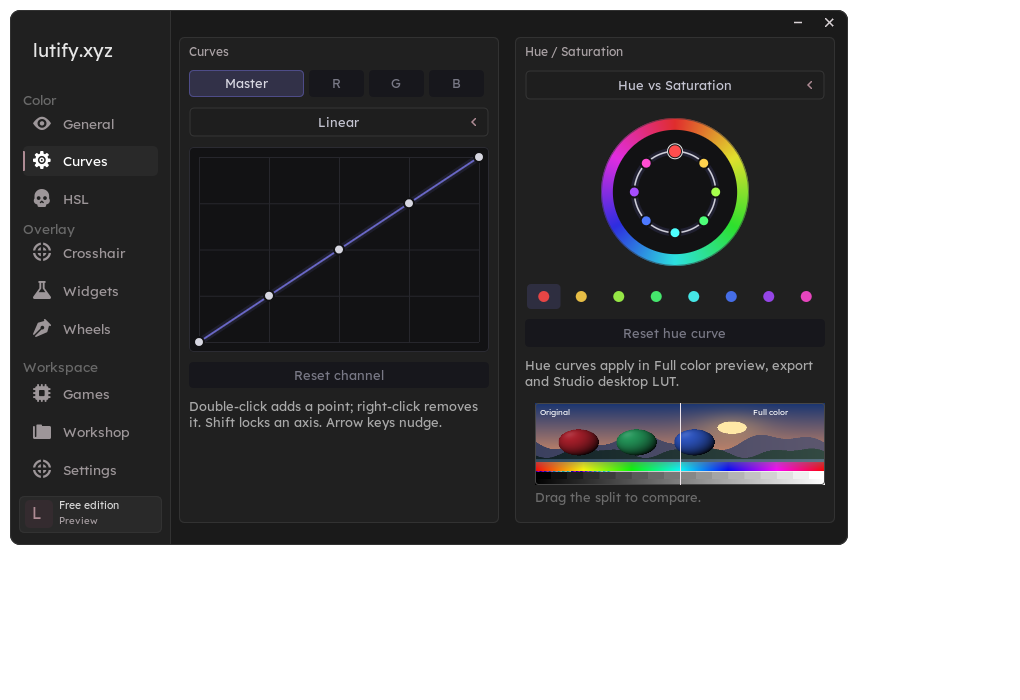
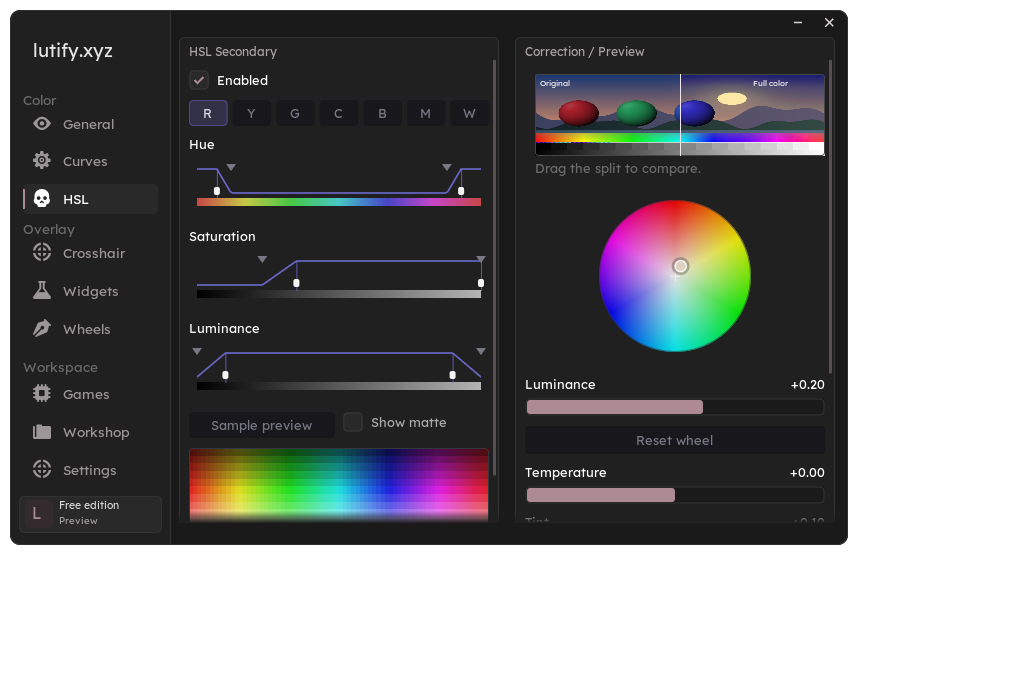
Master and RGB curves shape the tonal range. Four Hue curves and a qualified HSL correction give you a more selective touch.

Work with curves
Lutify’s selective HSL correction controls and split preview
03 / FREE LUT TOOLS

Import and
export LUTs.

Import validated .cube files, preview with tetrahedral interpolation, tune strength, bypass the effect and export the composed result.

Get started with LUTs
04 / RESTORATION

Restore your
display settings.

Originals are captured before native changes. A journal, independent restore helper, readback checks and emergency stop support a reversible workflow.

Understand restoration

Curves. HSL. LUTs.

Precise controls.
Live preview.

App screenshot
Lutify Curves controls in the actual Windows preview

Shape shadows and highlights.

Shape the master and RGB curves, then work with real Hue curves for selective changes across the spectrum.

Take a closer look

Get Lutify.

Color controls for Windows 10 and 11.

Download